How to Track Calories When Eating Out (No Nutrition Info Needed)
No calorie counts on the menu? You can still get a solid number. Here's how to track calories when eating out — from chain restaurants to the tiny bistro that's never heard of a nutrition label.
The short answer: estimate in layers, don't agonize
Here's how to track calories when eating out with no nutrition facts available: first check whether the restaurant publishes data (large US chains are legally required to), and if not, estimate the meal from its parts — protein, carbs, vegetables, sauce — then add roughly 20% to cover cooking oils and butter you can't see. Or skip the mental math entirely and photograph your plate with an AI food-scanning app, which identifies the foods and estimates portions for you.
A close estimate logged today beats a perfect number you never log. Keep that in mind for the rest of this guide.
Step 1: Check for chain nutrition data first
In the US, the FDA's menu labeling rule requires restaurants that are part of a chain with 20 or more locations to post calories directly on menus and menu boards — and to provide fuller nutrition info (protein, carbs, fat, sodium) on request. So at any big chain, the number is already there: check the menu, the restaurant's website, or its app.
Two things to watch even at chains:
- Customizations count. Extra cheese, a different dressing, or "make it a large" can move a listed item by hundreds of calories.
- Listed calories are for the standard build. If the kitchen is generous with the sauce, your plate may run higher than the menu says.
The real problem is everywhere else: independent restaurants, food trucks, that family-run Thai place. No database entry matches their exact recipe, and the same dish name can vary wildly from kitchen to kitchen. That's where the next two steps come in.
Step 2: Estimate like a dietitian
Two facts recalibrate everything about restaurant estimating.
First, restaurant portions are much bigger than you think. A 2016 study in the Journal of the Academy of Nutrition and Dietetics measured 364 meals from chain and independent restaurants and found that 92% exceeded typical calorie needs for a single meal — averaging around 1,200 calories before drinks or dessert. Portion research has repeatedly found restaurant servings running two to three times a standard serving size. If a plate "feels like" 600 calories, 900–1,100 is often closer.
Second, restaurants cook with far more fat than you do at home. Oil in the pan, butter finishing the steak, oil in the dressing — none of it is visible on the plate, but at roughly 120 calories per tablespoon it adds up fast. A practical rule of thumb: build your estimate, then add about 20% for hidden fats.
To build the base estimate, break the plate into components and size each one with your hand:
- Palm (without fingers) ≈ one portion of cooked meat or fish, roughly 3–4 oz
- Cupped hand ≈ one portion of rice, pasta, or potatoes
- Thumb ≈ one tablespoon of butter, oil, or creamy sauce
- Fist ≈ one cup of vegetables or salad
Then log each component separately, or find the closest chain equivalent as a proxy (an independent burger joint's cheeseburger and fries won't be far from a major chain's version). If hand-portion estimating is new to you, our guide to counting calories without weighing food covers the method in detail.
Step 3: Snap a photo of your plate
The newest option is also the fastest: AI photo food scanning. You photograph the plate, and a recognition model identifies the foods, estimates portion sizes from the image, and returns calories and macros — no label, no database hunting, no math.
An honest note on accuracy: photo estimation is not a lab analysis. Independent evaluations of photo-based food recognition generally find that identification of common foods is strong, while portion size is the hardest part — estimates typically land within a moderate range of the true value rather than hitting it exactly. That still compares well with unaided human guessing, which studies consistently show skews low, especially for large restaurant portions. We break down what the research says in our guide to AI calorie counter accuracy.
For restaurant meals specifically, photo scanning solves the exact problem you have: an unlabeled, multi-component plate that would take five minutes to log by hand.
Logging a restaurant meal with Foodify
This is the workflow Foodify was built for. When your food arrives, take one photo. Foodify's multi-food detection identifies each item on the plate separately — the salmon, the rice, the roasted vegetables, the sauce — and estimates a portion for each, so you're not stuck logging "mixed plate, ???" or scanning items one by one.
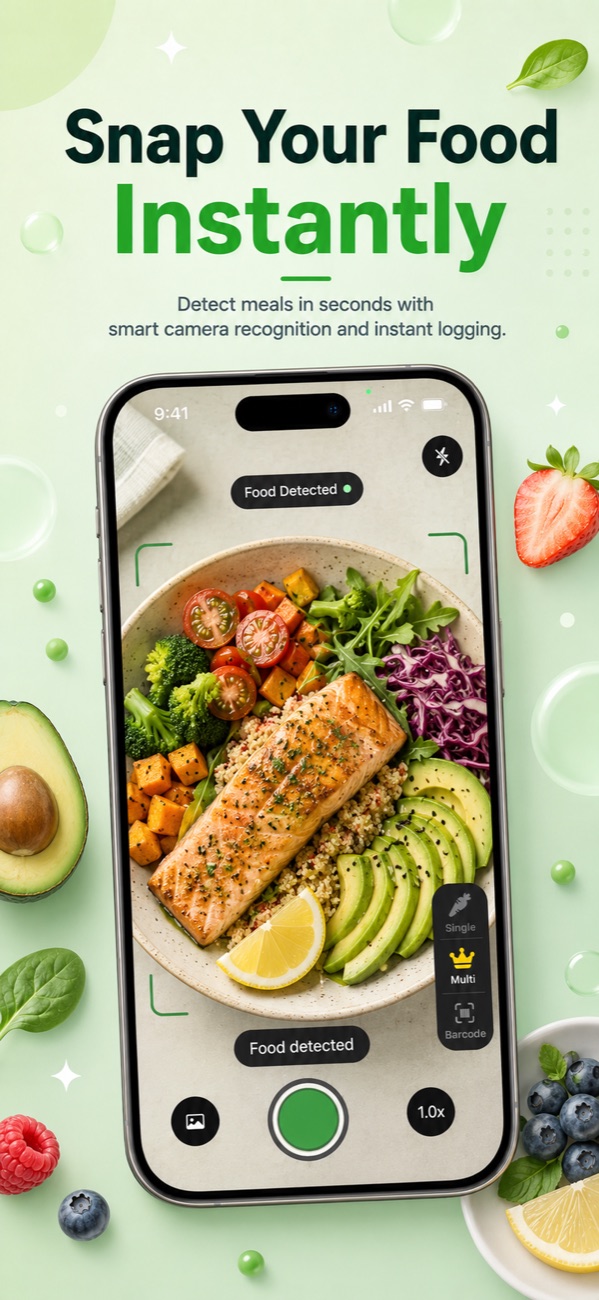
Every result is editable before you save it — so if the app calls it one cup of rice and your eyes say two, adjust it in a couple of taps. Applying the Step 2 knowledge (portions run big, fats hide) makes you a better editor of the AI's first draft. Each meal also gets a Nutrition Score from 0 to 100, which is handy feedback when you're choosing between restaurant habits over time.
Order the same thing every Friday? Save it to your meals library once and re-log it in seconds from then on.
Buffets, parties and takeout: the same trick everywhere
Every no-label situation yields to the same photo-first approach, with small adjustments:
- Buffets: the danger isn't any one food, it's the trips. Use one plate per round and photograph each plate before you eat it. Two logged plates beat five forgotten ones.
- Parties and potlucks: snap your plate before you start mingling — memory-based logging three hours later reliably drops items. Home-style dishes at potlucks estimate just like your own cooking; our guide to calories in homemade food applies directly.
- Takeout: containers hide portion sizes, so plate the food before photographing it. And log what you actually ate — if half the pad thai went in the fridge, log half.
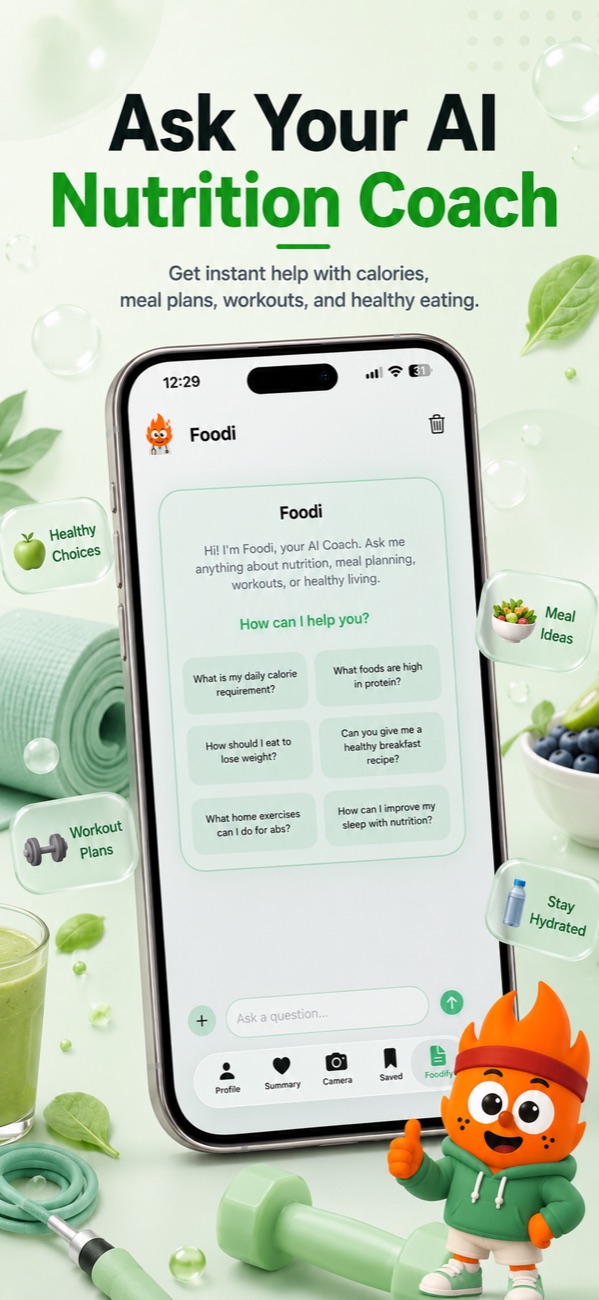
You can also get help before you commit. Foodify's Foodi AI coach answers questions in chat — ask it which of three menu options best fits your remaining calories and protein target, or send it a photo and ask what it would tweak.
One dinner won't derail you — weekly averages decide
Your body responds to your average intake over weeks, not to any single Tuesday. A dinner that overshoots by 600 calories is less than a 4% bump on a typical week's total intake — barely a rounding error if the other days are on track. The genuinely damaging pattern isn't the big meal; it's the "I blew it, why bother logging" spiral that follows, where tracking stops entirely for days.
So log the blowout, watch your weekly average instead of the daily number, and move on. If you know a big dinner is coming, eating slightly lighter earlier in the day is a calmer strategy than trying to out-guess a tasting menu.
Pro tip: the three rules that matter most when you track calories when eating out — assume portions are 2–3x home size, add ~20% for hidden oils, and log the meal before the first bite (or at least photograph it). An imperfect entry in your log will always beat a perfect number in your head.
FAQ
How do I count calories at a restaurant that doesn't list them?
Break the meal into components (protein, starch, vegetables, sauce), size each with hand portions — a palm of meat, a cupped hand of carbs, a thumb of fat — then add about 20% for cooking oils. Alternatively, photograph the plate with an AI food scanner like Foodify, which detects each food and estimates portions automatically, with results you can edit before saving.
Should I overestimate or underestimate restaurant calories?
Round up. Studies of measured restaurant meals show they're consistently larger and more calorie-dense than diners assume, mostly because of portion size and cooking fats. If you're torn between two estimates, log the higher one — systematic slight overestimates protect a weight-loss deficit, while underestimates quietly erase it.
How accurate are photo calorie apps for restaurant food?
Independent evaluations of photo-based food recognition generally find good identification of common foods, with portion size being the main source of error — expect a reasonable estimate, not a lab measurement. That's usually still closer than eyeballing alone, and apps that let you edit the result before saving (Foodify does) let you correct the obvious misses.
What if I forgot to log until hours after the meal?
Log it anyway, from memory, as soon as you remember. List what you ate, use a similar chain menu item as a proxy for calories, and err slightly high on portions since memory tends to shrink them. A late, rough entry keeps your weekly average honest; a skipped one hides the day entirely.
Log your next restaurant meal with one photo
Foodify's AI scan detects every food on the plate and estimates portions — free to download on iPhone, with a 3-day free trial of Pro.

Free to download · AI photo food scanning · iPhone