Calorie Counter Apps With a Free Barcode Scanner (And Photo Logging Too)
Several popular calorie trackers have moved barcode scanning behind a paywall in the past few years, and a lot of people are now searching for a calorie counter app with a free barcode scanner instead of paying just to scan a granola box. The good news: free options still exist — and one leading photo-scanning app logs whole meals from a picture too.
The short answer: yes, plenty of apps still scan barcodes for free
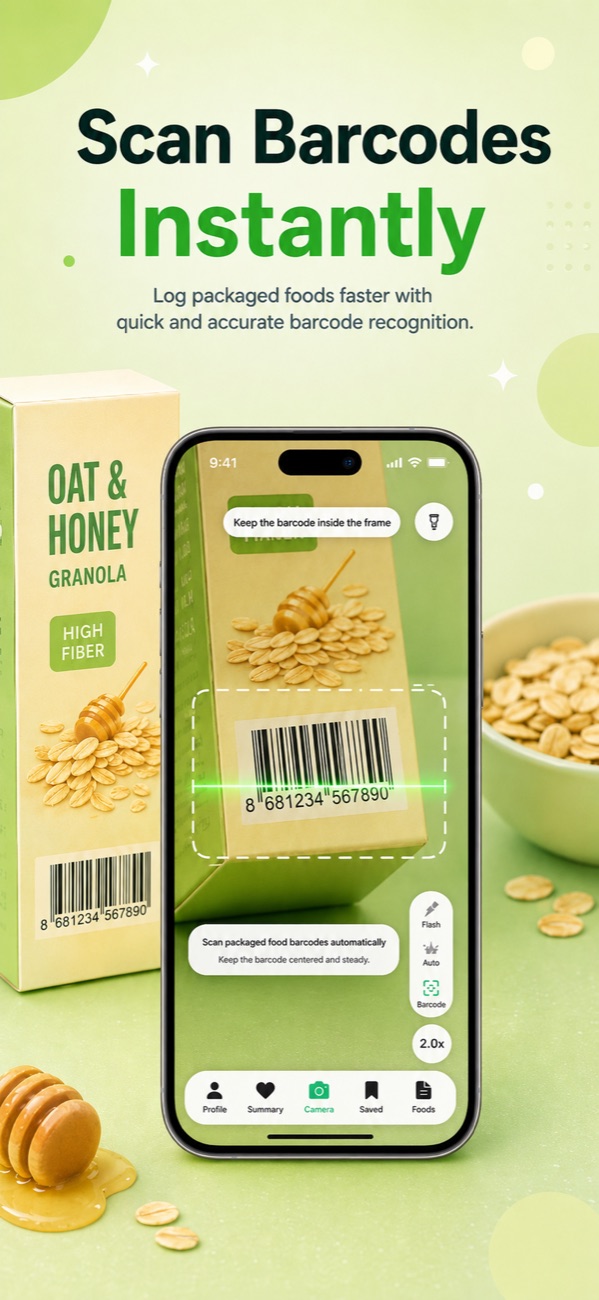
If you're looking for a calorie counter app with a free barcode scanner, you have real choices. Several big-database trackers still include barcode scanning on their free tier as of mid-2026. And if you want to go a step further, Foodify scans barcodes free and also logs entire plates of food from a single photo — something many popular AI photo calorie apps still keep behind a paid subscription.
Why barcode scanning got paywalled in the first place
Over the past few years, several of the biggest calorie-tracking apps have moved barcode scanning — a feature that used to be free — behind a paid subscription tier, alongside newer features like AI meal-photo scanning and recipe import. The reasoning is straightforward: barcode databases and camera-based recognition are expensive to build and maintain, and subscriptions fund that work. The catch is that policies vary by app and sometimes by region, and they keep shifting, so a feature that's free today can move behind a paywall next year — or the reverse.
Because the situation genuinely varies by app and region, don't trust blog posts — including this one — over your own phone. Open whichever tracker you're using, tap to add a food, and try the scanner icon — if it shows an upgrade screen, that's your answer.
What to check before you subscribe to any tracker
Before you pay for a barcode scanner specifically, confirm a few things in the app itself rather than on its marketing page:
- Test the scanner with a real product, not just the app's demo screen — some free tiers cap the number of scans per day rather than removing the feature entirely.
- Check whether pricing is dynamic. Some apps show different prices to different users based on region, device or promo, so the number a friend quotes you may not match your own screen.
- Look at what's paywalled beyond the scanner — meal photo scanning, recipe import and per-meal macro targets are increasingly bundled into the same paid tier as barcode scanning.
- Read the trial terms. Free trials that auto-convert to annual plans are common in this category; a short trial billed at a yearly rate can be an expensive mistake to forget about.
Calorie counter apps with a free barcode scanner, compared
These are the categories of apps people typically compare when a barcode paywall hits. Prices below are general ranges as of mid-2026 — confirm the exact number in-app before subscribing, since they change often and some apps use dynamic pricing.
| App type | Free barcode scanner? | AI photo logging | Typical paid tier | Best for |
|---|---|---|---|---|
| Big-database trackers that paywalled scanning | No for many accounts (varies by app and region) | Usually locked behind the paid tier | Often $10-20/month or $60-80/year | Huge food databases, if you'll pay |
| Free big-database trackers | Yes | Usually a paid add-on | Often $8-15/month or $50-65/year | Most complete free logging |
| Spreadsheet-style macro / nutrition apps | Often yes, with limits | Rare or paid-only | Pricing varies widely — some use dynamic pricing | Micronutrient detail |
| Foodify | Yes | Yes — free daily AI scans, multi-food detection | Pro $12.99/mo or $49.99/yr, 3-day trial | Photo-first logging on iPhone |
One caution before you pick: paywalls creep. Several other trackers that once offered free scanning have reportedly tightened limits for newer free accounts over time — one more reason to verify the features you care about on day one rather than trusting what worked for a friend last year.
The truly free options: an honest look
Big-database trackers with generous free tiers
Some big-database trackers are the app most often named as the free alternative once a competitor paywalls its scanner, and the reputation is often deserved: barcode scanning, food diary, macro tracking, exercise logging and community recipes can all sit on the free tier. The honest downsides: the interface can feel dated next to newer apps, the database often leans on user-submitted entries (so double-check unusual results), and AI photo scanning is typically a paid add-on.
Nutrition-focused trackers with strict free limits
A smaller category of trackers keeps barcode scanning free while focusing on data depth — tracking dozens of nutrients from more carefully curated sources rather than just calories. The trade-offs: the free tier often limits reports to a short window like seven days, shows ads, and photo logging usually sits in a paid tier. If you care about iron, magnesium and B12 as much as calories, this category is worth a look. If you just want fast logging, it can feel like homework.
Minimal, ad-free trackers
A third category keeps barcode scanning free, skips ads on the free tier, and sometimes doesn't even force an account to start. Paid tiers in this category tend to unlock diet plans and deeper analysis, with AI photo features reserved for a higher tier. These apps are less flashy, but the free tracking itself is often solid.
All three of these categories solve the barcode problem — each is a genuine calorie counter app with a free barcode scanner. None of them fix the deeper problem: barcodes only cover packaged food. The moment you cook dinner or eat at a restaurant, you're back to searching and guessing.
Beyond barcodes: logging the whole plate from a photo
Barcode scanning was never the end goal — fast, low-friction logging was. That's why the newest generation of trackers, which we compare in our guide to the best AI calorie counter apps, treats the camera as the primary input for all food, not just packaged food.
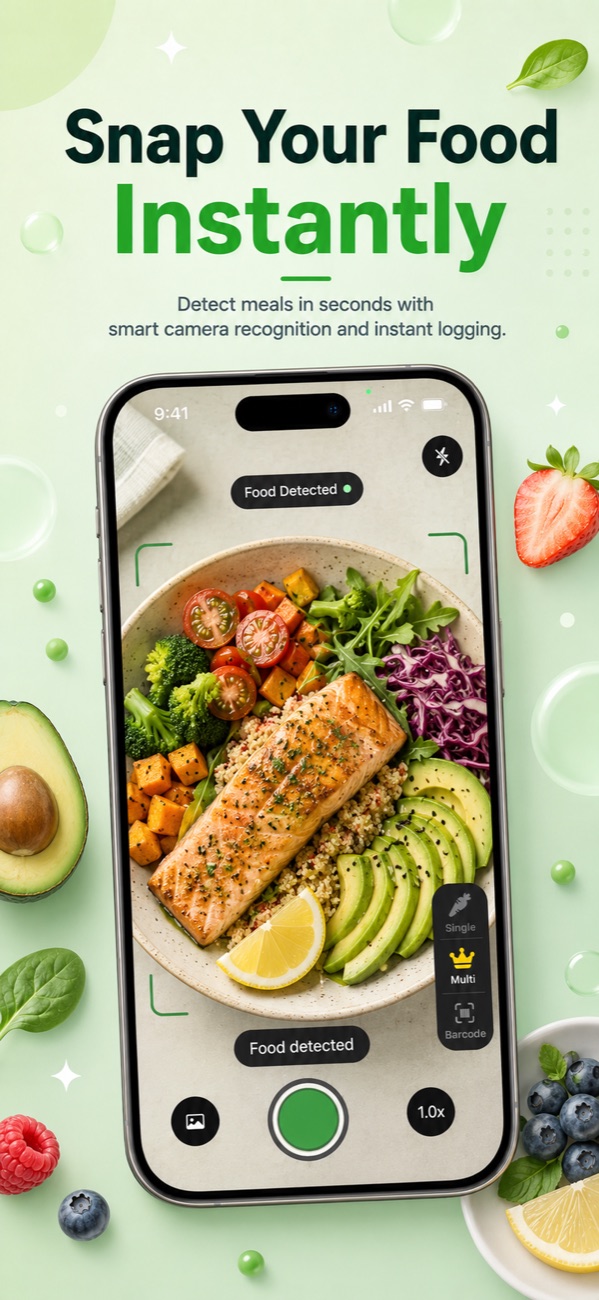
Foodify is our app, so judge this section accordingly — but the pitch is simple. It includes a free barcode scanner for packaged foods, and for everything else you photograph the plate: the AI detects multiple foods in one shot, estimates portions, and drafts calories, protein, carbs and fat for each item. Every result is editable before you save it, which matters because no photo-based estimator is gram-perfect — independent evaluations of photo-based food recognition generally find estimates land in a usable range rather than exactly on the number, and honest apps let you correct them. Our guide to counting calories from a picture covers realistic expectations in detail.
The rest rounds out what most people expect from a calorie counter app with a free barcode scanner: calorie and macro tracking against personalized targets, meal plans, a 0–100 Nutrition Score per meal, water, weight and body tracking, a saved meals library, streaks with AI summaries, Apple Health sync that reads your activity and energy data, workout tracking, and a Foodi AI coach you can ask questions or send photos, available in 8 languages. The free tier is genuinely usable with daily limits on the AI features; Foodify Pro ($5.99/week, $12.99/month, or $49.99/year — about $4.17/month on yearly) extends AI scans and adds meal plans, the coach and weekly insights, with a 3-day free trial. Two honest caveats: it's iPhone-only (iOS 17.6+), and the free tier has daily AI limits rather than unlimited scans.
Switching calorie trackers without losing your history
No major tracker imports another app's diary directly, so plan around three things:
- Export what you can first. Check your current app's account settings for a data download option before canceling anything — easier to grab it now than after you've moved on.
- Don't mourn the history. Months of diary entries feel precious, but what you actually reuse is small: your calorie target, your weight trend, and your 15–20 repeat meals. Weight history synced to Apple Health stays with you regardless of which app wrote it.
- Rebuild your repeat meals in week one. Your first few days in any new app are the annoying ones. Log your usual breakfasts and dinners once, save them as favorites, and daily logging gets fast again quickly.
FAQ
Is there a calorie counter app with a free barcode scanner in 2026?
Yes. Several big-database trackers still include barcode scanning on their free tier, and Foodify includes a free barcode scanner too, alongside free daily AI photo scans. Coverage varies by app and sometimes by region, so the only reliable check is opening the app and scanning a real product yourself.
Do free calorie apps have AI photo scanning?
Some do, but many popular AI photo calorie apps keep meal-photo scanning behind a paid subscription while their free tier sticks to manual search and barcode scanning. If photo logging is the main draw, apps built around it — see our AI calorie app alternatives comparison — generally offer more, including free daily photo scans in Foodify's case.
What's the best completely free calorie counter app with a barcode scanner?
It depends what you value. Big-database trackers tend to have the most complete free logging tools, nutrition-focused trackers offer the deepest micronutrient detail (often with a short free reporting window), and minimal ad-free trackers keep things simple. Foodify is free to download with a free barcode scanner and daily AI photo scans included, and its Pro tier is optional.
Can I transfer my logging history to a new calorie counter app?
There's no one-tap transfer between major trackers. Export your data from your old app's website or settings if you want a copy, rely on Apple Health for weight history, and rebuild your saved meals in the new app — for most people that takes a few days of normal logging.
Scan barcodes free — and the rest of your plate too
Foodify includes a free barcode scanner plus daily AI photo scans that log whole meals — free on iPhone, with a 3-day Pro trial.

Free to download · AI photo food scanning · iPhone