The Best AI Calorie Counter Apps of 2026, Compared
AI photo food logging is everywhere now, and every app store search turns up a dozen near-identical scanners. This guide breaks down what actually separates the best AI calorie counter apps of 2026 — portion estimation, multi-food detection, editable results, transparent pricing and a usable free tier — and shows how Foodify stacks up against each, so you can pick the right type of app instead of downloading six to find out.
The best AI calorie counter apps of 2026, at a glance
Short answer: the best AI calorie counter apps of 2026 aren't defined by which one has the flashiest camera animation — they're defined by five things: how well the app estimates portion size, whether it can separate multiple foods on one plate, how easy it is to correct a wrong estimate, whether pricing is shown honestly before you commit, and whether the free tier lets you actually use the AI scanning instead of just teasing it. Judge any app — including Foodify — against that checklist rather than a logo.
| App type | Photo AI on free tier? | Multi-food detection | Typical pricing | Worth knowing |
|---|---|---|---|---|
| Typical photo-scanning subscription app | Usually just a trial, then paywalled | Often yes, quality varies | Commonly $10–20/month or $60–80/year; some reveal price only after an onboarding quiz | Fast and focused on one thing; some use dynamic pricing, so two people can see two different numbers |
| Free / big-database tracker | Rarely, or heavily capped | Manual search is the core; AI scan is usually a paid add-on | Free for manual logging; AI or premium tiers often run $15–20/month or $50–100/year | Enormous food and barcode catalogs; the AI is a bolt-on, not the reason people join |
| Coaching-heavy app | Sometimes, in limited form | Varies by app | Usually subscription-only, roughly $10–15/month | Built around habit coaching and check-ins more than scan speed |
| Foodify | Yes, with daily limits | Yes — detects multiple foods on one plate | Pro: $5.99/week, $12.99/month or $49.99/year (≈$4.17/month), 3-day free trial | Every result editable before saving; barcode scanner; AI coach chat; iPhone (iOS 17.6+) |
Pricing across the category shifts often, and some apps don't publish a number until after onboarding, so treat the table as a general 2026 snapshot and check the current store listing before you subscribe to anything.
What actually matters in an AI calorie app
Every AI calorie app can recognize a banana. When people ask what the best AI calorie counter app for 2026 actually looks like, the honest answer is that the differences show up in three places, not in the food-recognition demo:
- Portion estimation. Identifying what you're eating is the easy part; guessing how much is where calorie errors come from. Look for apps that show an editable gram or serving estimate, not just a food name.
- Multi-food detection. Real plates have rice, chicken and salad on them at once. An app that logs "mixed plate, 600 kcal" as one blob is much less useful than one that itemizes each food so you can correct one item without redoing the meal.
- Editability. No AI gets every meal right — independent evaluations of photo-based food recognition consistently find portion-size error is the weak spot (we break down the numbers in our guide to how accurate AI calorie counters really are). The winning workflow is scan, glance, fix one number, save. If editing is buried, small errors compound daily.
The pricing landscape: what these apps typically cost
Pricing in this category is messier than it should be. A few patterns show up across most photo-scanning apps: many run somewhere in the $10–20/month or $60–80/year range once the free trial ends; a handful only reveal a price after you've answered a long onboarding quiz; and a few reportedly use dynamic or geography-based pricing, so the number you see isn't guaranteed to match what someone else pays. Free-first apps flip that: manual logging and barcode scanning stay free, but AI photo scans are usually rationed or locked behind a premium tier.
That's the backdrop every best AI calorie counter app 2026 shortlist gets judged against. Foodify's approach is the opposite of opaque: the free tier includes real AI photo scans (with daily limits), and Pro pricing is posted plainly — $5.99/week, $12.99/month, or $49.99/year (about $4.17/month), with a 3-day free trial. If a subscription-only app's approach bothers you, our guide to AI calorie app alternatives walks through what to look for instead.
Three common types of AI calorie apps
Most apps in this category fall into one of three archetypes. Knowing which one you're looking at tells you more than any feature list.
Photo-first apps
Built around a single loop — open camera, snap plate, get a number — these apps are fast and narrow. The tradeoff is usually the free tier: photo scanning is often the one feature locked behind the paywall, since it's also the most expensive feature to run.
Big-database trackers
These apps lead with an enormous searchable food and barcode catalog built up over years, with AI photo scanning added on top more recently. If you already log by searching and scanning barcodes and just want AI as a shortcut for the odd home-cooked meal, this archetype fits — but the AI scan is rarely the strongest part of the free experience. If a free, barcode-first tracker is what you actually want, see our guide to a free barcode scanner calorie app.
Coaching-heavy apps
This group leans on chat-based guidance, habit check-ins and behavior coaching, with food logging as one input among several. They suit people who want to be told what to change, not just handed a calorie total.
How Foodify approaches each of these
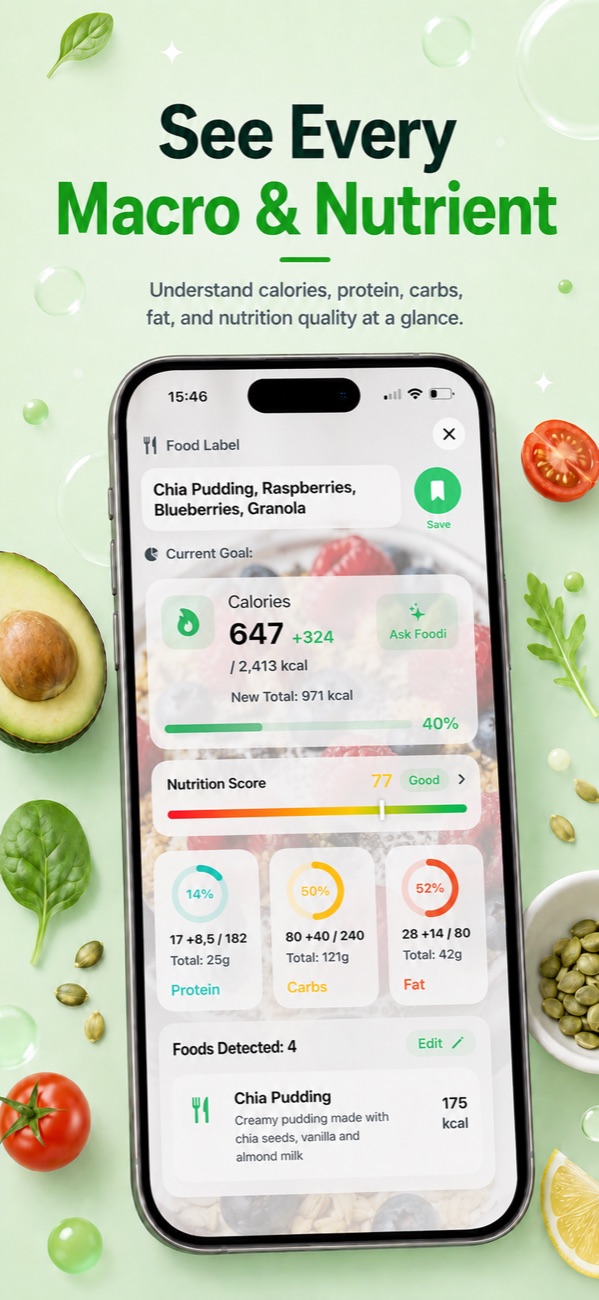
Foodify is an iPhone app (iOS 17.6+) that tries to sit at the intersection of all three archetypes rather than picking one. The core loop is photo-first: photograph a plate, get multi-food detection with editable portion estimates, adjust anything, save. Each meal also gets a 0–100 Nutrition Score, and calories plus protein, carbs and fat track against personalized targets and meal plans. On the database side there's a barcode scanner and a saved-meals library so repeat meals log in one tap. And on the coaching side, the Foodi AI coach is available to chat with or send photos to, alongside weekly AI summaries, water, weight and body-measurement tracking, workout tracking, and Apple Health sync.
The free tier is genuinely usable — daily-limited AI photo scans, not a locked demo. Pro ($5.99/week, $12.99/month, or $49.99/year — about $4.17/month — with a 3-day trial) unlocks extended AI scans, personalized meal plans, the AI coach and advanced weekly insights. It's available in 8 languages; the main limitation is that there's no Android version yet.
Where every AI calorie counter still gets things wrong
None of these apps is a lab instrument. Across the category, published evaluations of photo-based food recognition find the same pattern: food identification is now quite good, while portion size — and anything invisible, like cooking oil, butter or sugar in a sauce — drives most of the error. Calorie estimates on mixed dishes are commonly off by meaningful double-digit percentages in either direction, and no app can see the tablespoon of olive oil the kitchen used.
That's exactly why editability is the feature to shop for. An app that's 20% off but lets you fix the estimate in five seconds beats an app that's 10% off and locks you into its number. It's also why a photo scan beats typing nothing at all: for most people the realistic alternative to an imperfect estimate isn't a food scale, it's not logging.
Which type of app is right for you?
There's no single best AI calorie counter app for 2026 that fits everyone — it depends on what you're optimizing for.
Free-first: if you want to photo-scan meals without paying, look for apps that put real AI scans (not just barcode search) on the free tier, even with daily limits. Foodify does this and adds barcode scanning, saved meals and macro targets on top, at no cost.
Accuracy-first: prioritize multi-food detection plus fast editing over any single accuracy claim, and pair whichever app you choose with Apple Health sync so your calories-out data keeps targets honest. Foodify itemizes multi-food plates and syncs with Apple Health.
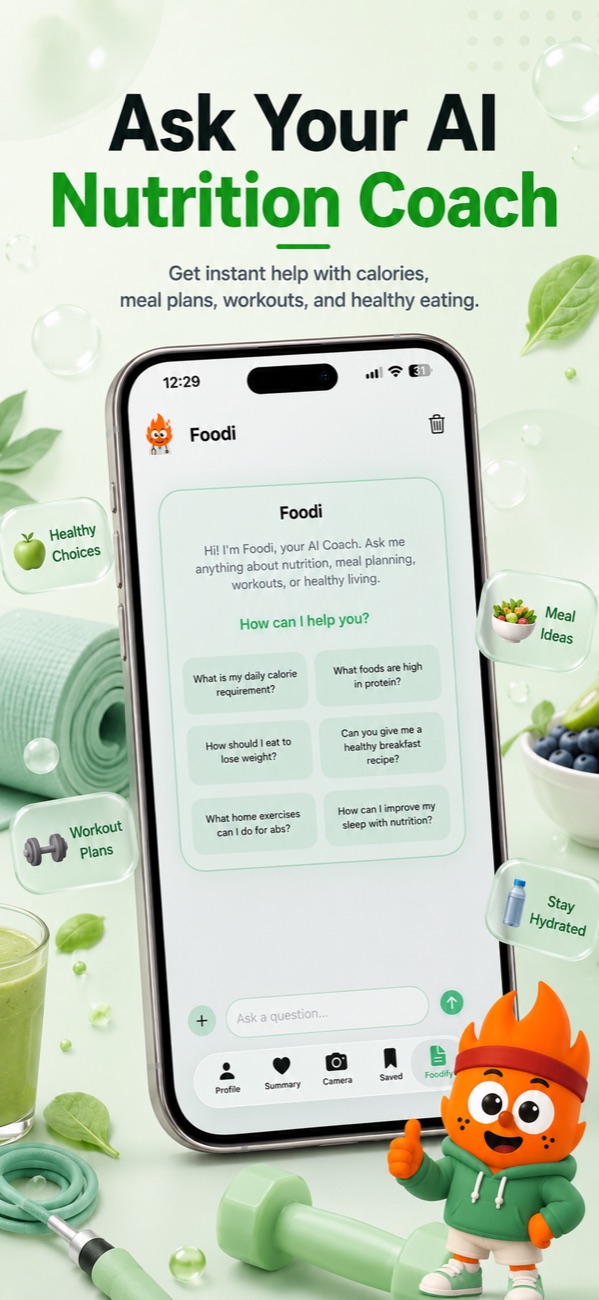
Coaching-first: if you want the app to tell you what to change, not just count, look for built-in AI coaching rather than a bolt-on chatbot. Foodify's Foodi coach answers questions in chat, takes photos, and works alongside weekly AI summaries and personalized meal plans (the coach and meal plans are Pro features; the free tier covers daily-limited AI scans).
Whichever type you choose, commit for two weeks before judging. The best AI calorie counter app is the one you'll still be opening in March.
FAQ
What's the best AI calorie counter app in 2026?
There's no single winner for everyone — it depends on whether you're free-first, accuracy-first or coaching-first. Foodify is a strong pick for iPhone users who want free daily AI photo scans with multi-food detection and editable results, plus barcode scanning and AI coaching in one app. Apps built around a massive food database suit people who already log mostly by search and barcode; coaching-heavy apps suit people who want guidance, not just a number.
Are AI calorie counter apps accurate?
They're good at identifying foods and rougher at portion sizes. Published evaluations of photo-based food recognition generally find meaningful error on mixed dishes and anything with hidden fats or sauces. Used as an editable first draft rather than gospel, they're accurate enough for weight management — and far better than not logging.
Is there a free AI calorie counter app?
Fully unlimited free AI scanning is rare because image analysis costs money to run. Foodify offers free daily AI scans with limits; many competitors put photo scanning entirely behind a subscription and keep only manual or barcode logging free.
Can AI count calories from a photo of a mixed plate?
Yes, if the app supports multi-food detection — it will itemize the rice, protein and vegetables separately with individual portion estimates. Accuracy drops on blended dishes like curries and casseroles, so pick an app that lets you correct individual items before saving.
Scan your next meal free with Foodify
Snap a plate, watch multi-food detection break it into editable calories and macros, and see why the scan-then-fix loop wins — free daily AI scans on iPhone.

Free to download · AI photo food scanning · iPhone