The Best Calorie Counter Apps That Sync With Apple Health
Plenty of apps claim to be a calorie counter that syncs with Apple Health — but they don't all sync the same data, in the same direction, or for free. Here's how the main categories of apps compare on iPhone, and how to set up the connection so it actually works.
Which calorie counters actually sync with Apple Health?
On iPhone, plenty of apps can point at Apple Health and say "connected" — but that word hides big differences. A true calorie counter that syncs with Apple Health should handle two directions of data, and most apps only do one of them well.
Direction one is writing in: your logged meals become dietary energy (and sometimes macros) inside the Health app, so your nutrition lives alongside everything else. Direction two is reading back: the app pulls your active energy, workouts, steps and weight out of Health, so your calories-in number is compared against your real burn instead of a formula estimate.
The read direction is the underrated one. Your daily burn swings a lot between a rest day and a long-walk day, and an app that ignores Apple Health data just assumes every day is average. If the app can see what your iPhone or Apple Watch actually recorded, your daily balance stops being a guess.
The best Apple Health calorie counters compared
Here's how the main categories of apps stack up when you're looking for a calorie counter that syncs with Apple Health. Details below are general patterns, not a specific product's fine print — subscriptions and permission behavior change often, so double-check inside the App Store listing before you commit.
| App type | Apple Health sync | Free tier | Logging methods | Platform |
|---|---|---|---|---|
| Foodify | Reads activity and energy burn for calories-in vs calories-out | Free with daily limits on AI features; Pro from $49.99/yr (≈$4.17/mo) | AI photo scan (multi-food), barcode, AI chat | iPhone only (iOS 17.6+) |
| Big-database, cross-platform tracker | Usually syncs steps and exercise; some users report unnamed or mistimed nutrition entries showing up in Health | Often free to start, but core logging tools like barcode scanning can sit behind a paid tier | Manual search, barcode | iPhone, Android, web |
| Spreadsheet-style macro app | Frequently two-way: writes nutrition in, reads activity and weight back | Varies a lot — some have a generous free tier, others skip one entirely and offer a trial only | Manual search, barcode | iPhone, Android, web |
| Popular AI photo-scanning app | Sync quality varies; many are built cross-platform first, so HealthKit can feel like an afterthought | Limited free scans, then a subscription — many run $10-20/mo or $60-80/yr, and some use dynamic pricing so two people can see two different prices | AI photo scan | iPhone, Android (most) |
A pattern worth noticing: the sync itself is rarely the paywalled part. What differs is what you can log for free. Several big-database trackers have moved core tools like barcode scanning behind a paid plan over the years, which is a big reason people go looking for a free barcode scanner calorie app. Other trackers in that category keep more of the basics free, while some spreadsheet-style macro apps skip a free tier entirely.
How Foodify uses your Apple Health data
Foodify approaches the sync from the read side: it pulls your activity and energy burn from Apple Health and puts it next to what you ate, so you're always looking at calories-in versus calories-out from real data. On a day you walked ten kilometers, the app knows. On a day you didn't move, it knows that too.
The logging side is built around speed. You point the camera at your plate and the AI detects multiple foods at once, estimates portions, and lets you edit anything before saving — the workflow we cover in detail in our guide to counting calories from a picture. There's also a barcode scanner for packaged food, plus weight, water and body measurement tracking in one place.
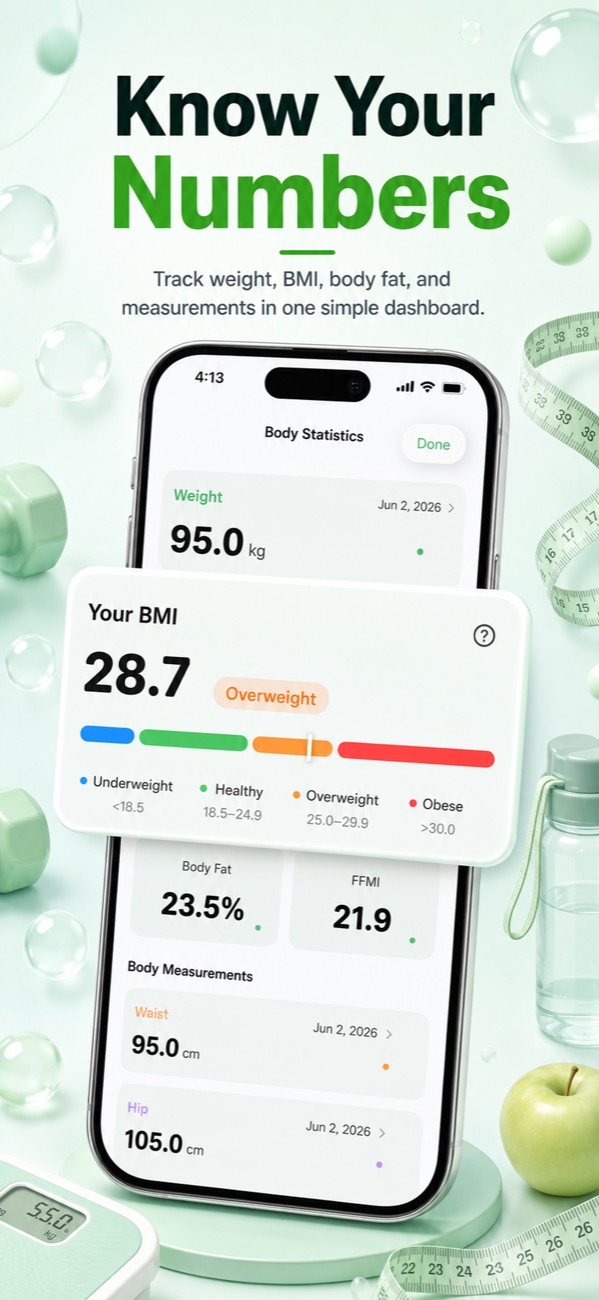
Foodify is free to download with daily limits on AI features; Pro ($5.99/week, $12.99/month or $49.99/year, with a 3-day free trial) unlocks extended AI scans, personalized meal plans, the Foodi AI coach and advanced weekly insights.
Set up permissions correctly — the step everyone gets wrong
Almost every "my app won't sync" complaint traces back to one moment: the iOS permission sheet. When a calorie counter that syncs with Apple Health first asks for access, tapping Don't Allow — or approving only some categories — silently breaks the sync, and iOS never asks again. Here's the clean setup:
- When the app requests Health access, tap Turn On All (or review each category deliberately — but don't skim past it).
- If you already declined, open the Health app → your profile picture → Apps (or Settings → Privacy & Security → Health), find your calorie app, and enable the categories manually.
- Check both directions: "Allow to Read" categories (active energy, workouts, weight) and "Allow to Write" ones are separate toggles.
- Open the calorie app once after changing permissions so it can do its first full sync.
Why iPhone-only apps often sync better
Cross-platform trackers have to serve Android's Health Connect, their own web dashboards and HealthKit with one codebase, so HealthKit often becomes just another integration bolted onto a server-first design — one reason for the unnamed, oddly-timestamped entries some users report from big cross-platform apps. An iPhone-first app can build directly on HealthKit as its native data layer, with nothing lost in translation.
That's not a guarantee — a badly built iPhone app can still sync badly — but it explains why smaller iPhone-first trackers like Foodify routinely compete with the giants on sync quality. If Apple Health is the hub of your health life, platform focus is a legitimate selection criterion, right next to logging speed and the food database. For the broader picture of which trackers get the AI side right too, see our roundup of the best AI calorie counter apps.
Troubleshooting: duplicates, missing workouts and priority order
Duplicate calories or steps. This happens when two sources report the same activity — your Apple Watch and your iPhone, or two apps writing the same workout. Open Health, tap a data type like Steps, then Data Sources & Access. Apple Health deduplicates overlapping data using this priority list, so drag your most trusted source to the top.
Missing workouts. Usually a read-permission gap: the calorie app was granted "Active Energy" but not "Workouts". Fix it in the Health app's per-app permission screen, then reopen the calorie app.
Numbers that don't match between apps. Different apps read Health at different moments, and Health itself keeps revising the day as data arrives from your Watch. Compare end-of-day totals, not mid-afternoon snapshots, before deciding something is broken.
One last thing sync can't fix: portion sizes. Apple Health faithfully stores whatever your app writes, so garbage in stays garbage. If weighing every meal isn't realistic for you, our guide to counting calories without a food scale covers estimation methods that keep logging honest without the kitchen hardware.
FAQ
Can Apple Health count calories by itself?
Only half of them. Apple Health tracks calories burned (active plus resting energy) automatically, especially with an Apple Watch, but it has no real food-logging interface — just bare manual data entry. For the intake side you need a calorie counter that syncs with Apple Health and writes or compares nutrition data for you.
Is there a free calorie counter that works with Apple Health?
Yes. Foodify is free to download with daily limits on AI features, and several big-database trackers offer capable free tiers with Health integration too. Just check what's actually included before you commit — some free tiers cover search and sync fine but move core features like barcode scanning behind a paid plan.
Why is my calorie app not showing up in Apple Health?
Almost always permissions. Open the Health app, tap your profile picture, then Apps, select the calorie app and check that both read and write categories are enabled. If the app doesn't appear in that list at all, it never completed its first HealthKit request — reinstall it and accept the permission prompt when it appears.
Does Foodify write my meals into Apple Health?
Foodify's sync works in the read direction: it pulls your activity and energy burn from Apple Health so it can compare calories in against calories out. Your food logs, water, weight and body measurements are tracked inside Foodify itself, where every AI scan result stays editable before you save it.

See your real burn next to every meal
Foodify reads your activity from Apple Health and pairs it with photo-fast food logging — free to download on iPhone.

Free to download · AI photo food scanning · iPhone