Can ChatGPT Count Calories From a Photo? An Honest Look
ChatGPT can count calories from a photo — send it a picture of your plate and it will hand back a number in seconds. The real questions are how close that number is, and what happens to it after the chat ends.
Short answer: yes, it can guess — and research shows how good the guess is
Can ChatGPT count calories from a photo? Yes. Upload a meal picture, ask for calories, and it will name the foods and produce an estimate almost every time. The catch is in the word estimate: peer-reviewed evaluations show it identifies foods well but gets portions — and therefore calories — wrong often enough to matter.
A 2025 study in the journal Nutrients tested ChatGPT-4 on 114 meal photographs drawn from national dietary survey data. It was genuinely good at naming what was on the plate, but it underestimated the meal's weight in roughly three out of four photos, and the gap widened as meals got bigger — large meals averaging around 800 grams were estimated at closer to 530 grams, about a third too low. Other published evaluations report calorie errors of roughly 15–20 percent for simple, clearly visible foods, climbing to 50 percent or more for complex mixed dishes and meals with hidden fats.
Put that in real terms: a one-third underestimate on an 800-calorie dinner is more than 250 missing calories. Make that mistake most evenings and your "deficit" can quietly disappear.
Why ChatGPT struggles with food photos
These aren't random glitches — they follow directly from how a general-purpose chatbot works.
- No real portion estimation. A single 2D photo has no depth and no reliable size reference. ChatGPT can't tell a 25 cm plate from a 30 cm one, or 150 g of rice from 300 g piled the same way. Studies consistently flag portion size as its weakest link — and the bias runs toward underestimating.
- No nutrition-database grounding. ChatGPT generates calorie figures from patterns in its training data rather than looking each detected food up in a verified nutrition database. That's part of why the same photo can return noticeably different numbers if you ask twice.
- Hidden calories are invisible. Cooking oil, butter, sugar dissolved in a sauce, dressing already tossed through a salad — none of it shows up in pixels. Evaluations found some of the largest errors on exactly these meals.
- It sounds confident either way. ChatGPT answers in the same assured tone whether it's spot-on or wildly off, so you get no signal about when to double-check.
Where ChatGPT is genuinely fine
To be fair, there are situations where asking ChatGPT to count calories from a photo works well enough:
- Ballpark sanity checks. "Is this closer to 400 or 900 calories?" is a question it can usually settle.
- Single, obvious foods. A banana, an apple, a plain grilled chicken breast — simple items with standard sizes are where published error rates are lowest.
- When you type in the details. Evaluations found accuracy improved dramatically when testers supplied weights, ingredients or cooking methods alongside the photo. At that point, though, you're doing much of the work the photo was supposed to save you.
- General nutrition questions. Explaining why fiber matters or what's in a typical burrito is squarely in its comfort zone.
What a dedicated photo scanner does differently
Apps built specifically for counting calories from a picture attack ChatGPT's weak points one by one. Foodify's scanner, for example, is built around exactly these failure modes: it detects multiple foods on a single plate, estimates a portion size for each one, and returns calories plus protein, carbs and fat for every detected food — not a single lump-sum guess for the whole plate.
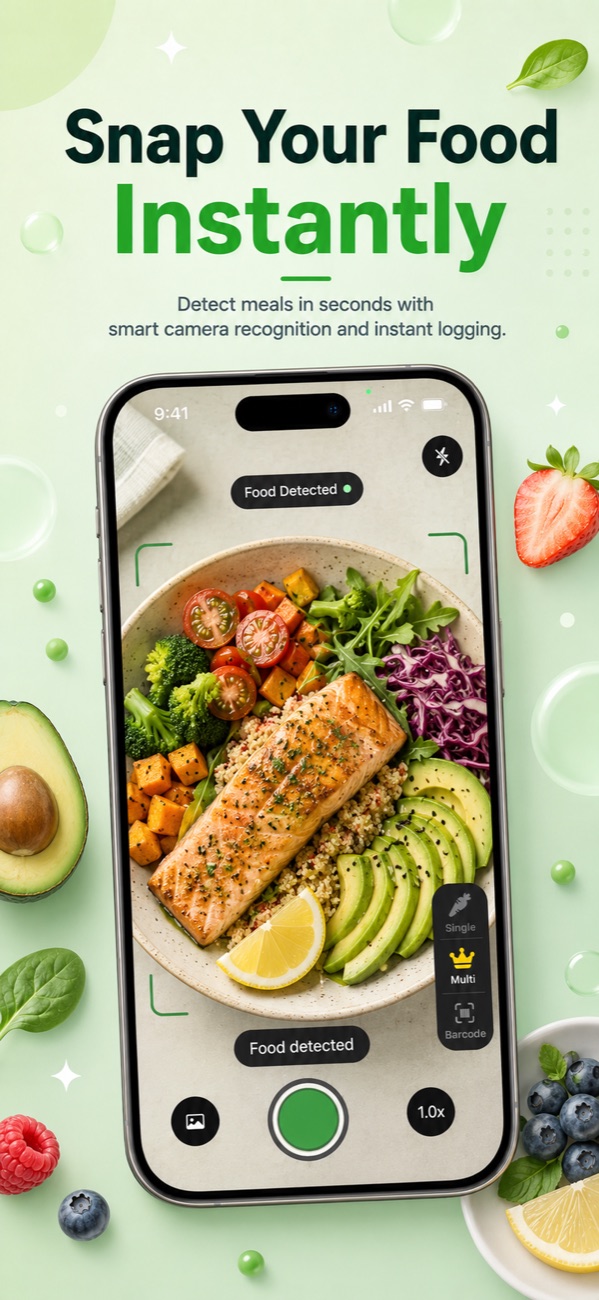
Just as important: every result is editable before you save it. No camera-based tool sees hidden oil or knows your exact serving — photo-based AI estimation has real limits across the board — so a good scanner treats its output as a strong first draft you can correct in two taps. For packaged foods, a barcode scan skips estimation entirely and pulls label data instead.
| ChatGPT | Foodify | |
|---|---|---|
| Food identification | Good for common, visible foods | AI scan with multi-food detection on one plate |
| Portion sizes | Guesses; studies show consistent underestimation | Built-in portion estimation, editable before saving |
| Calorie numbers | Generated from training patterns; can vary between asks | Calorie, protein, carb and fat figures per detected food |
| Packaged foods | No dedicated barcode lookup | Barcode scanner |
| Food log and history | None — answers live in the chat scroll | Full log, saved meals, streaks, daily and weekly AI summaries |
| Macros vs. targets | You'd tally totals yourself | Protein, carbs and fat tracked against personalized targets |
| Price | Free tier with limits; paid plans available | Free to download with daily AI limits; Pro from $49.99/year (about $4.17/month) with a 3-day free trial |
The workflow problem: ChatGPT doesn't track anything
Suppose ChatGPT nailed every estimate. You would still be missing the thing that makes calorie counting actually work: the log. There's no running daily total, no protein, carb or fat breakdown against your targets, no weekly trend, no history to look back on. Each answer lives and dies in a chat thread, and stitching yesterday's lunch to today's dinner means scrolling, copying and tallying by hand. A chat history is not a food diary.
This is the quiet reason "just ask ChatGPT" fades after a week. Calorie counting pays off through accumulation — seeing that you average 2,300 on weekends, that protein dips on busy days, that the trend line is finally moving. A chatbot gives you disconnected snapshots; an app gives you the film.
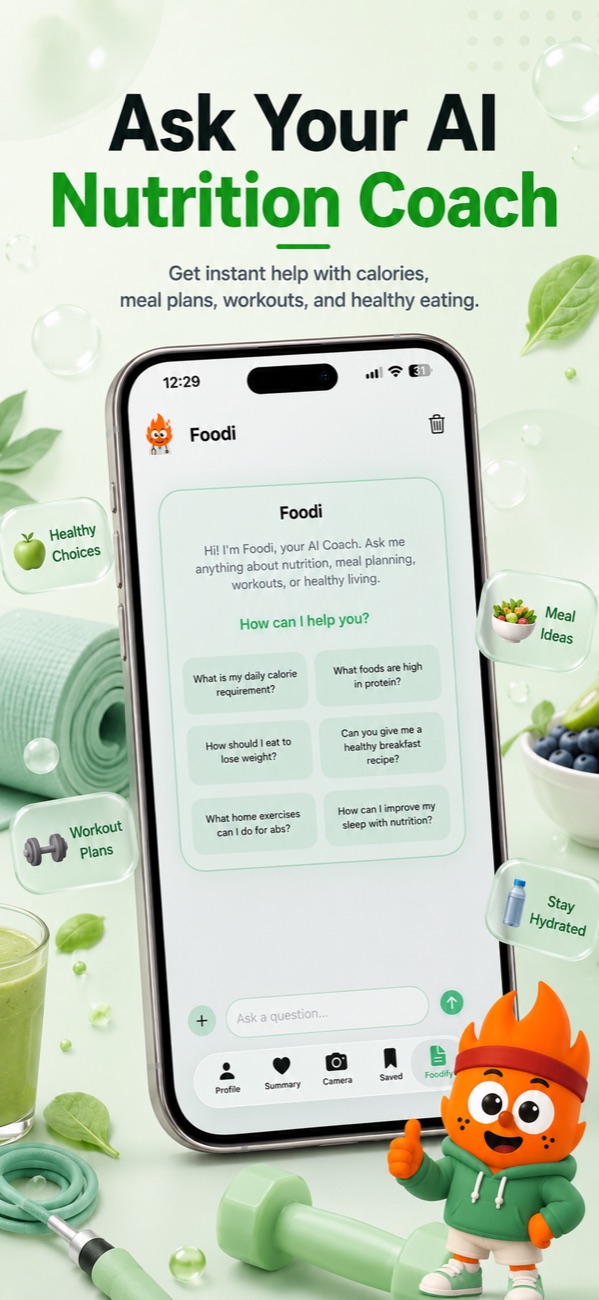
You don't have to give up the chat experience, either. Foodify includes Foodi, an AI nutrition coach purpose-built for food questions — you can ask it anything or send it photos, and it sits alongside your actual tracking instead of in a separate app. Add water, weight and body measurement tracking plus Apple Health sync for calories-in versus calories-out, and the gap between a chatbot and a tracker gets wide. If you're comparing dedicated scanners before committing, our guide to choosing an AI calorie app walks through what to compare.
Bottom line: ChatGPT can count calories from a photo the way a well-read friend can — a reasonable guess, delivered confidently, remembered by no one. For an occasional sanity check, that's fine. For actually tracking what you eat, a purpose-built scanner with portion estimation, editable results and a real log — like Foodify, free on the App Store — is the tool the job calls for.
FAQ
How accurate is ChatGPT at counting calories from a picture?
Published evaluations generally find calorie errors around 15–20 percent for simple, clearly visible foods, rising to 50 percent or more for complex mixed meals or dishes with hidden fats. A 2025 study in Nutrients also found it underestimated meal weight in about three quarters of photos, with the largest gaps on bigger portions.
Can ChatGPT keep track of my calories over time?
Not in any practical sense. It has no food log, daily totals, macro targets or trend charts — each estimate lives in a chat thread, and you would have to tally days yourself. Its memory features aren't designed to work as a reliable food diary.
Why does ChatGPT get portion sizes wrong?
A single photo contains no depth information and no trustworthy size reference, and ChatGPT has no dedicated portion-estimation step. Research shows it tends to underestimate, especially for medium and large meals — which flatters your numbers in exactly the wrong direction if you're cutting.
Is there an app that counts calories from a photo more reliably?
Dedicated scanner apps are built around the parts ChatGPT skips: multi-food detection, portion estimation and an editable result that saves straight into a log with macro targets. Foodify does all of this on iPhone (iOS 17.6+) and is free to download, with Pro unlocking extended AI scans, meal plans and the Foodi coach.
Stop asking, start scanning
Foodify's AI camera detects every food on your plate, estimates portions and saves each meal to a real, editable log — free on iPhone.

Free to download · AI photo food scanning · iPhone